
Manufacturing and cost
Calculate manufacturing cost with materials, labor and factory burden.
Material prices, production time, labor structure and overhead differ by manufacturer. Coldsolve builds cost from your factory data and the actual project geometry rather than a generic list price.
- 01Panel, door and modular-room engines
- 02Routes and work centers
- 03Labor and overhead
- 04Producibility controls

01Panel planning
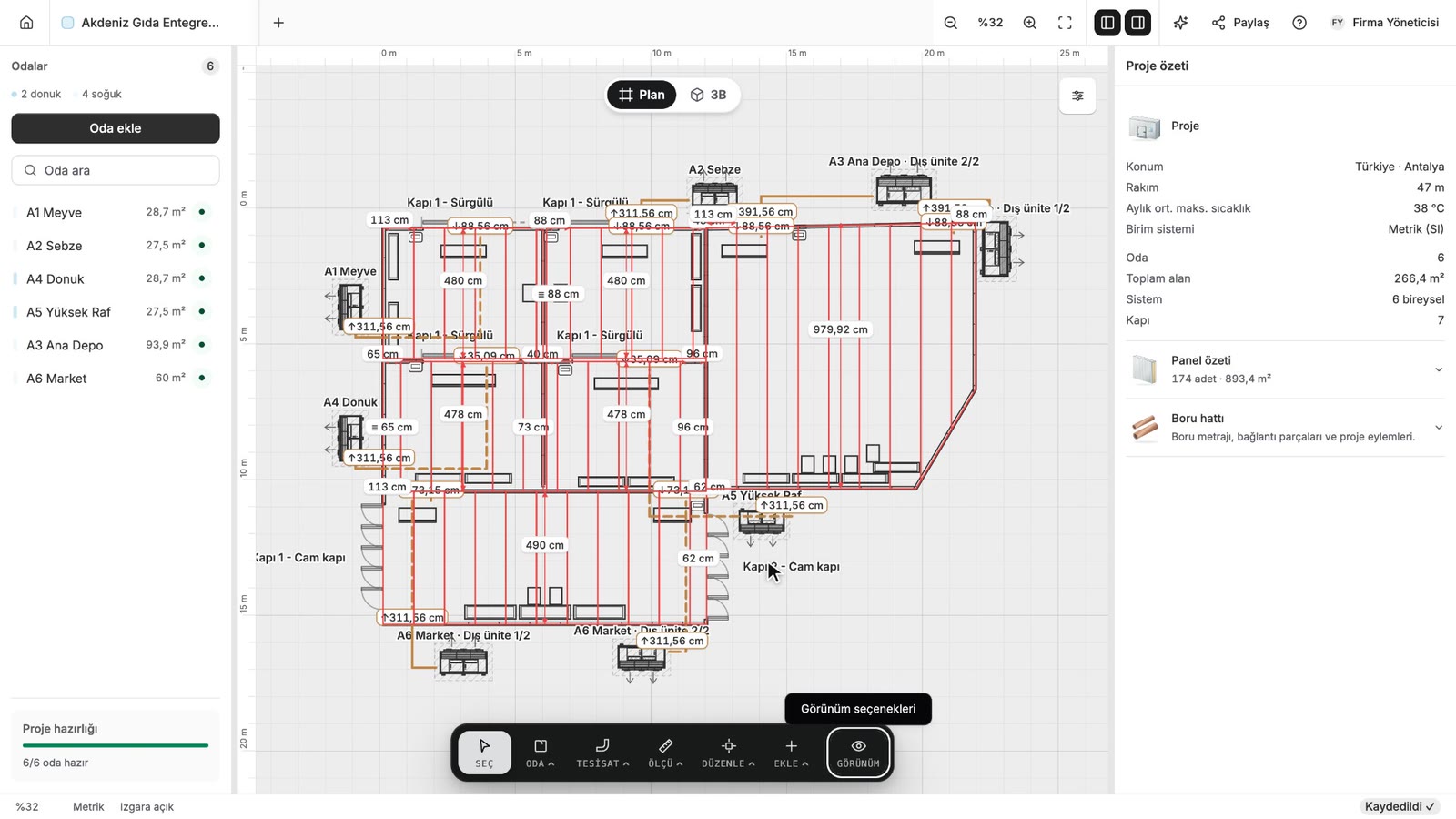
See the panel, offcut and waste impact of the drawing.
Room dimensions, openings, shared walls and columns all affect panel demand. New panels, reusable offcuts, idle offcuts and waste are classified separately.
- 01
Wall, ceiling and floor-panel demand
- 02
Door openings and header pieces
- 03
Shared-wall deductions
- 04
Physical bill of materials
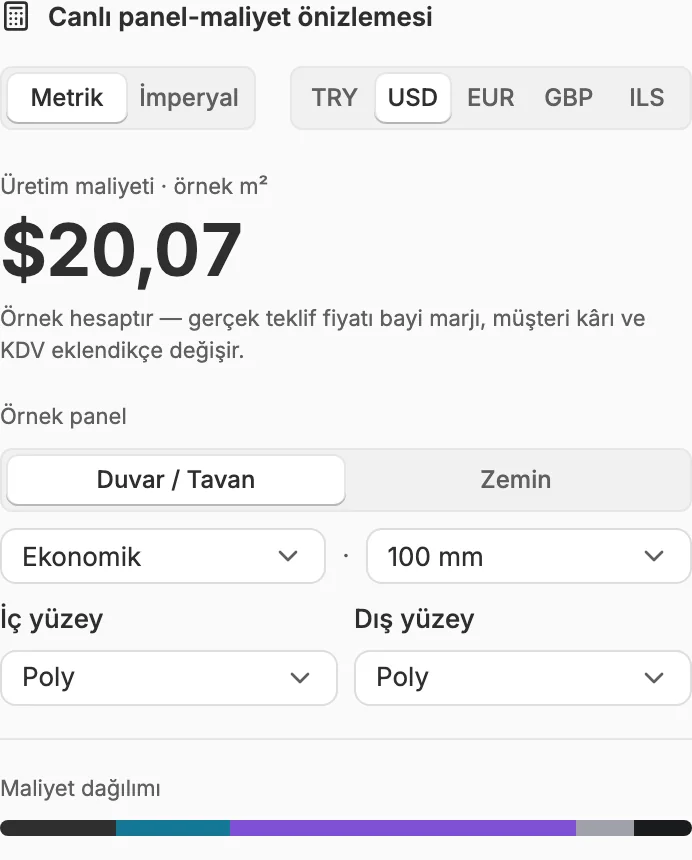
02Product costing
Use separate cost structures for panels, doors and modular rooms.
Sheet metal, foam, films, locks, plywood, door hardware and product-specific inputs are evaluated by the appropriate engine. Each result can be reviewed by component.
- 01
Panel surfaces, thickness and production sheet
- 02
Door type, frame, temperature class and hardware
- 03
Published modular-room production sizes
- 04
Raw cost separated from dealer data
- 05
Sheet-metal families and raw-material prices

03Modular-room engine
Configure a standard room as a product and see its manufacturing content immediately.
Create producible room options from your published width, length, height and panel modules. Resolve panel distribution, door, raw materials and production labor in one product calculation.
- 01
Published production dimensions and module rules
- 02
Wall, ceiling and floor-panel distribution
- 03
Product option with or without equipment
- 04
Dimension and producibility pre-check

04Automatic installation BOM
Turn project geometry into site-material demand.
Coldsolve derives the required installation materials from panel perimeter, equipment, indoor-to-outdoor distance, the 3D pipe network and the lighting cable route. Missing equipment or routing data is surfaced before quote approval.
- 01
Required items across 18 material families
- 02
Copper pipe, insulation, fittings and refrigerant
- 03
Cable, tray, drainage, consoles and fasteners
- 04
Quantity preview and pre-quote configuration warnings

05Production planning
Turn a won quote into a production order and the work into a shop-floor screen.
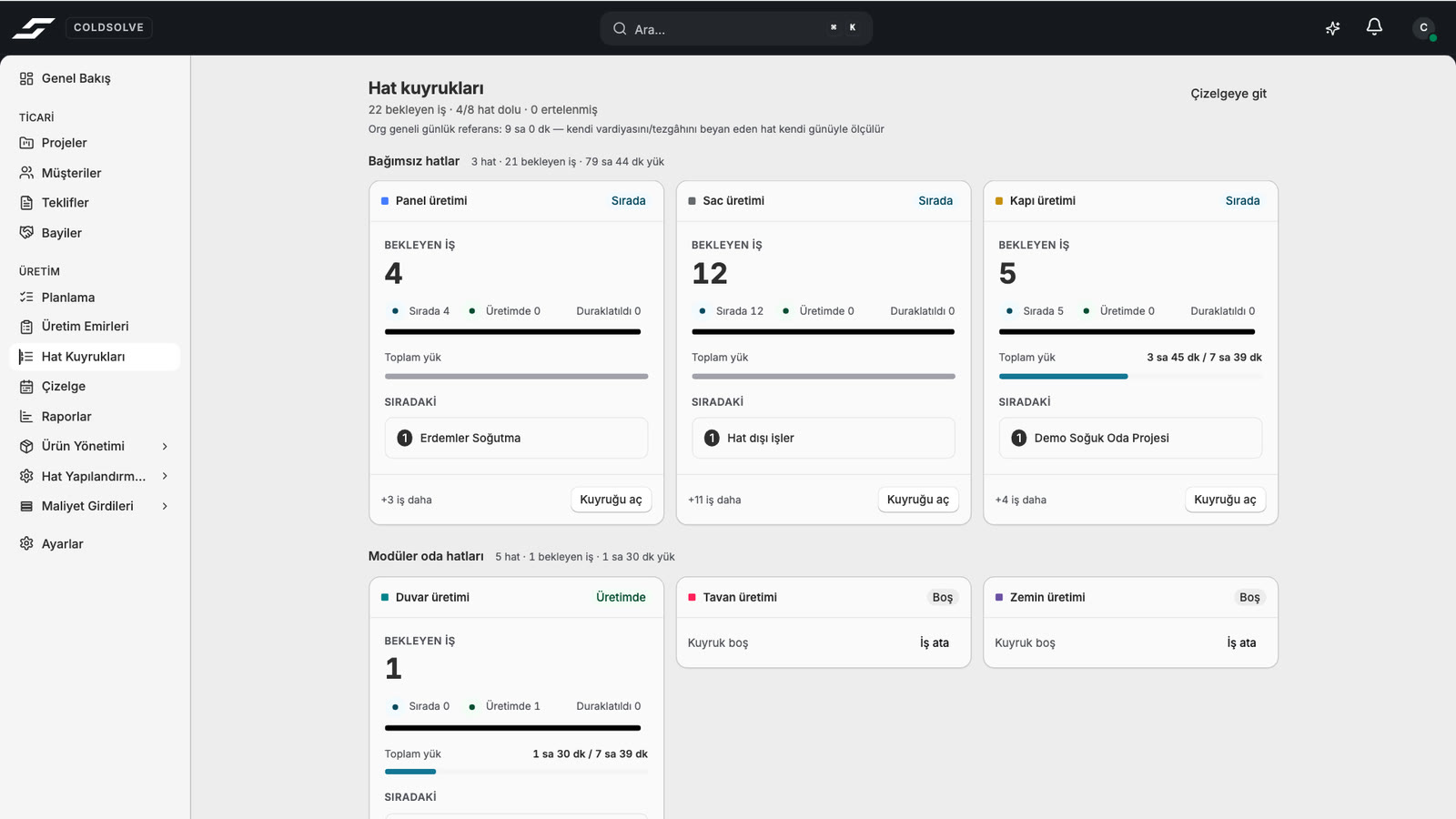
Create production orders and recipes from the approved project, then distribute the work across lines and queues. Operators see their own jobs on the shop-floor screen and report progress and problems from the line. Follow production with delay, line-load and plan-versus-actual reports.
- 01
Production orders, recipes and lists from the quote
- 02
Line planning and production queues
- 03
Shop-floor screen: operator job tracking and problem reports
- 04
Staff skills and capacity planning
- 05
Delay, line-load and plan-versus-actual reports
06Labor and routing
Model labor around the way production is organised.
Configure payroll, employer burden, benefits, available time and efficiency. Connect production steps to work centers and time standards.
- 01
Cost by person or line budget
- 02
Per-minute work-center cost
- 03
Panel, door and modular-room routes
- 04
Value history and controlled rollback

07Controlled parameters
Preview the cost effect before changing a manufacturing rule.
Adapt panel, door and modular-room parameters to the realities of your factory. Work inside explicit bounds, compare before-and-after impact on a sample product and preserve the complete change history.
- 01
Company value beside the system default
- 02
Sample cost simulation before save
- 03
Change note and historical record
- 04
Restore a prior state as a new controlled change
Continue through the process
Explore the other parts of Coldsolve.
Replace unexplained estimates with reviewable manufacturing cost.
Use your panel, door and labor inputs to build a representative cost calculation with us.